Brainstorming01
Make room for ideas.
Start with a question. Capture possibilities as branches, then group related ideas when the bigger picture starts to emerge.
- What if?
- Possibilities
- Next experiment
A little structure. A clearer mind.
Big thoughts. Small details. Room for both. Organise ideas, explore connections, and find your next step with Evolve MindMapper.
Checking account…In your browser. Sign in to start mapping.
From a first thought to a fuller picture
A new idea, a complicated project, a subject worth understanding. Start with what matters to you.
Start with a question. Capture possibilities as branches, then group related ideas when the bigger picture starts to emerge.
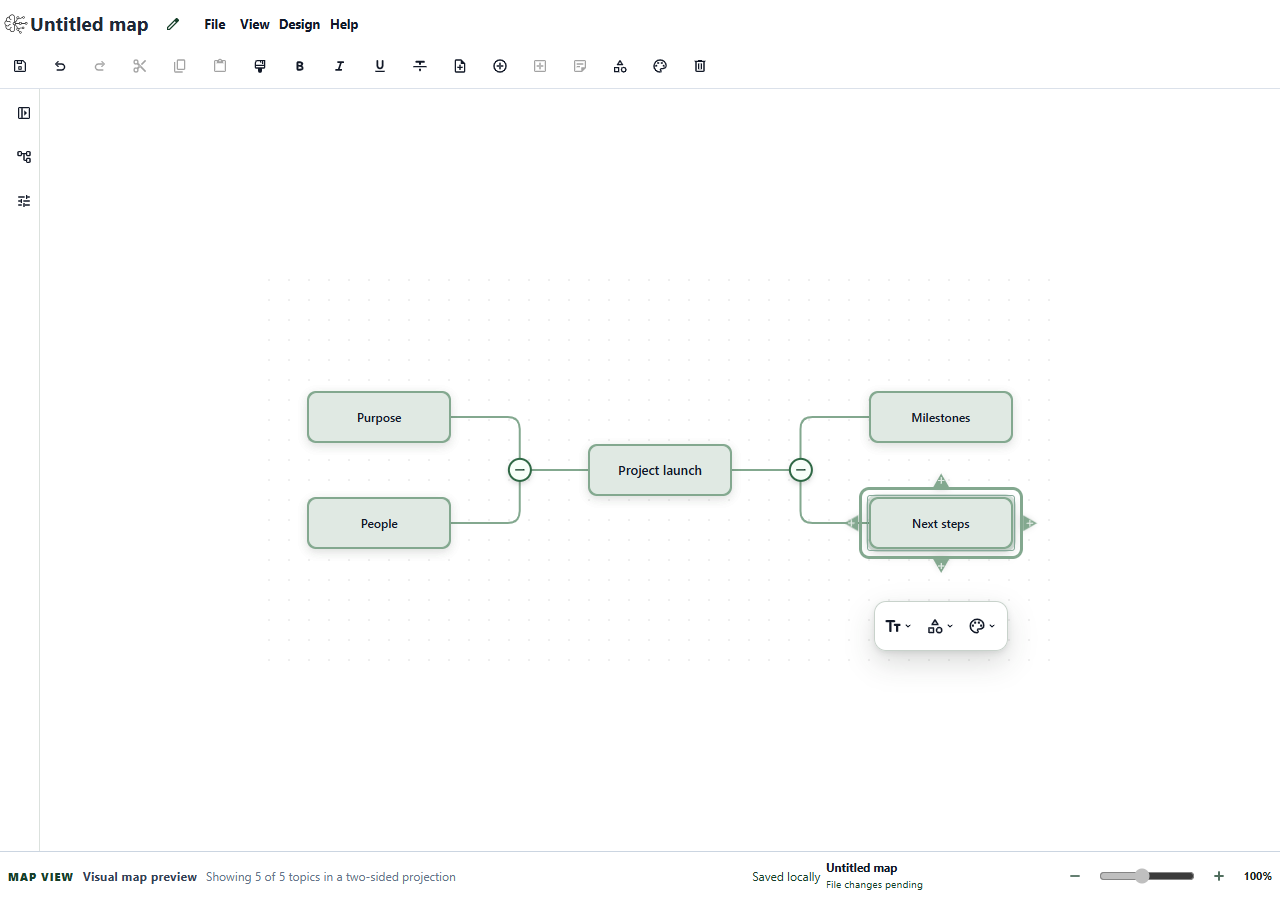
Break a goal into smaller parts. Map the people, milestones, and next steps so you can see what needs more thought.
Turn a broad subject into topics and subtopics. Bring your notes into a structure you can revisit and explain in your own words.
Simple tools. Thoughtful work.
You bring the thinking. The editor gives it a place to take shape.
Create a map and name your central topic. Add topics and subtopics as your thinking develops.
Rename and reorganise topics. Use colour, shapes, and text formatting to make important details stand out.
Add topic comments and markers. Collapse branches to focus, then expand them when you need the detail.
Your work, with clear choices
Create an account and sign in to use the editor. Keep maps on this device or choose which maps to copy to your account.
Create a new mind map, open a supported .mmap file, and return to maps saved by this browser.
Maps stay in this browser on this device and are never uploaded automatically. Exporting creates a file you control.
Sign in to start a mapSign in to browse your maps and open an account copy.
Copying a map to your account is an explicit choice. An online sign-in is required to reopen an account map.
Sign in to your accountGood questions
A mind map starts with a central idea and branches into related topics. It helps you organise a subject visually, explore its parts, and keep the wider context in view.
Yes. Create an account and sign in to use the editor, including maps stored on this device. You can read this website without signing in.
Local maps are stored in this browser on this device. Copying a map to your account is a separate, explicit choice. An online sign-in is required to reopen an account map. Export a file for a copy you can keep independently; clearing browser storage can remove local maps.
You can open supported .mmap files and save supported edits back to a file. Support depends on the file and its contents; this is not a promise of complete MindManager compatibility. Check the editor’s Evidence and limitations information before relying on a particular workflow.
No. The current editor is for creating and editing your own maps. AI generation and real-time collaboration are not available.
Start small. See where it takes you.
One thought is enough to begin.
Get started